
Cabins USA Gatlinburg Availability Search Icon Availability Search Small Icon

Sweet Seclusion

1 Bedroom Cabin
1 Baths / Sleeps 4
Sweet Seclusion Cabin Rental Photo
back next
Featured Property Photo
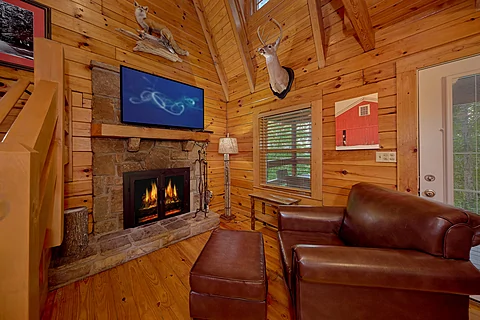
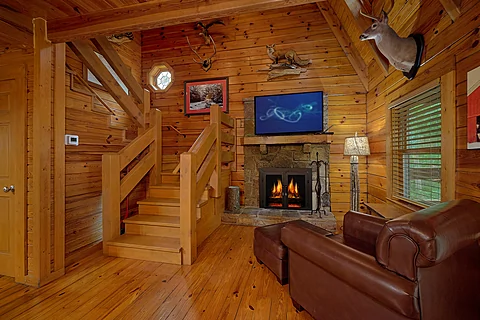
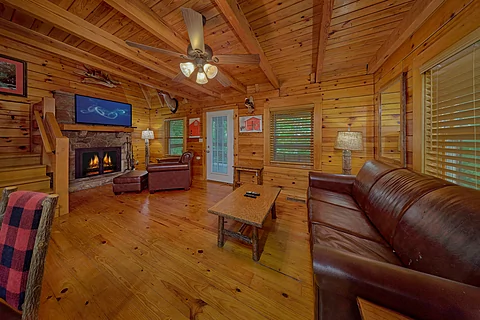
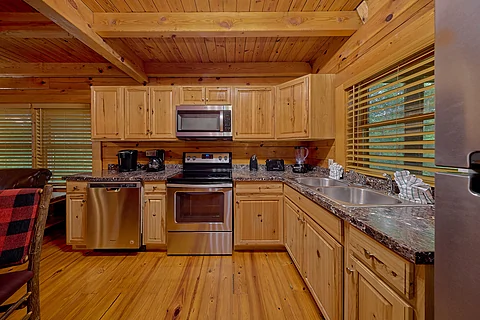
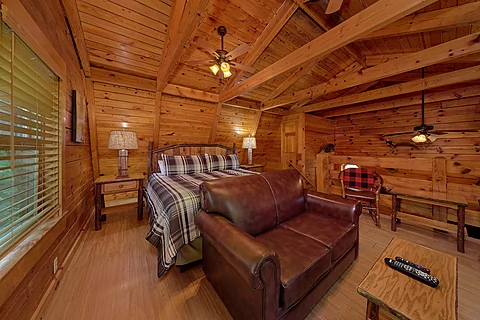
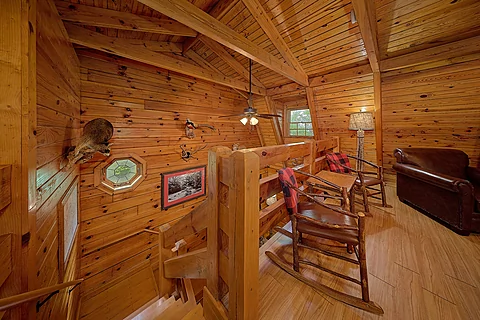
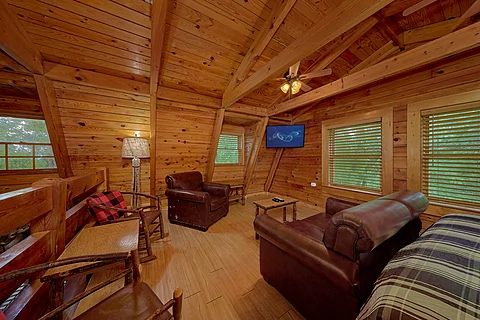
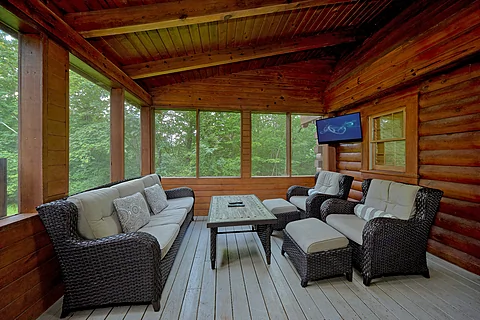
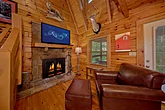
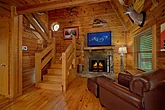
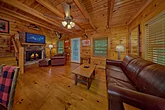
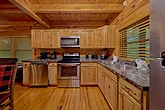
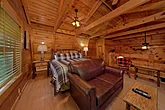
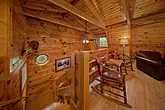
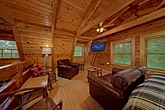
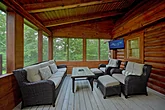
Featured Property Photo1 Bedroom Cabin with Woodburning FireplaceRustic 1 Bedroom Cabin near Pigeon ForgePrivate 1 Bedroom Cabin with Wood FireplaceOne Bedroom Cabin with Fully Equipped KitchenSpacious 1 Bedroom Cabin with Dining TableDining Table and Chairs Seating 4Main Floor Full BathroomPrivate 1 Bedroom Cabin in Pigeon Forge Sleeps 4Loft King Bedroom with TV Sleeps 4Private 1 Bedroom Cabin with King BedMaster Bedroom with TV and WiFiLarge Screened in Porch with Outdoor TVOne Bedroom Cabin in Pigeon Forge with Hot TubQuiet One Bedroom Cabin with Porch SwingPeaceful 1 Bedroom Cabin in the Woods Pigeon Forge Cabin with Fire Pit Sleeps 4Smoky Mountain 1 Bedroom Cabin in the WoodsSerene 1 Bedroom Cabin in Pigeon Forge with WiFi

"Sweet Seclusion" A Private 1 Bedroom Honeymoon Cabin Near Gatlinburg with Hot Tub

Cabin Rental Details

Adventure Pass included

About $600 a night in free attractions

Attraction tickets included every day of your stay + departure day

Cabin Description

StarStarStarStarStar
1 Bedrooms, 1 Baths
Sevierville, Cabin in Sevierville, TN
  • 2 Level Cabin
  • 1 King Bed
  • 1 Queen Bed
  • BBQ Grill
  • Deck
  • Fire Pit
  • Wood Fireplace
  • Hot Tub
  • WiFi Internet
  • Pet Friendly
  • Wooded View
  • Private
  • Non Smoking
  • Washer/Dryer

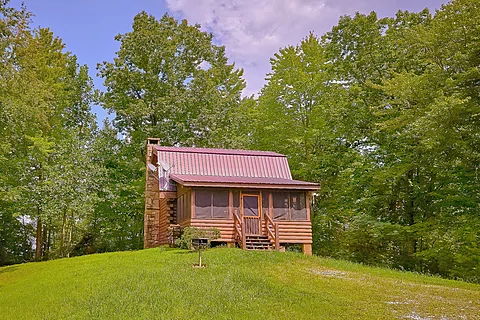
Enjoy romance in privacy in "Sweet Seclusion." This private 1 bedroom honeymoon cabin near Gatlinburg with a hot tub combines luxury features with a prime location close to top area attractions, letting you reconnect with the one who holds your heart at your pace in the heart of the Smoky Mountains.

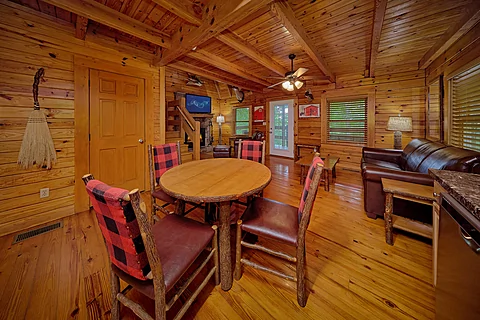
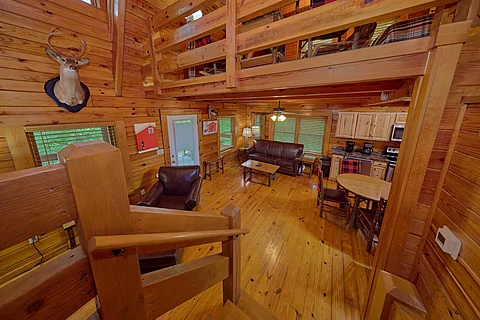
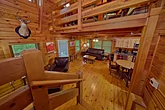
As you step into your 1 bedroom pet-friendly cabin rental near Gatlinburg, you'll find an inviting living area with a sleeper sofa, chairs, a wood fireplace, and other home comforts, such as cable TV. Cuddle by the fire for a sweet moment or plan your first outing. No matter your choice, you'll feel at home during your stay in "Sweet Seclusion."

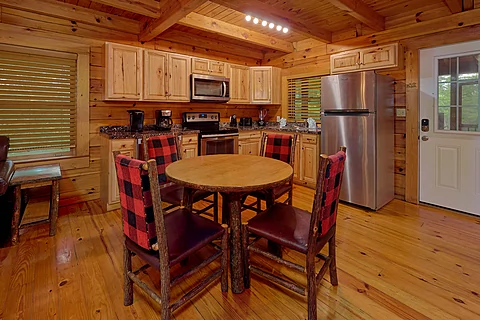
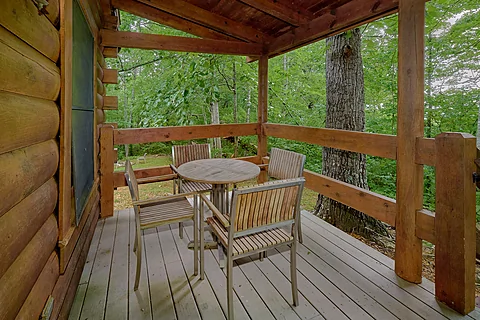
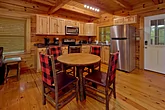
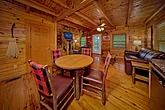
While there are plenty of dining options nearby, the fully equipped kitchen means you don't have to go too far to enjoy delicious food. Cook a full meal to share at the dining table or whip up snacks to tide you over. After eating, it's time to head out to play in the Smoky Mountains.

"Sweet Seclusion" is only a short drive from downtown Gatlinburg, where you and the others can play all day at places like Ober Gatlinburg and Ripley's Aquarium of the Smokies, along with other favorites like the Gatlinburg SkyBridge.

Do you love nature? Consider adding the Great Smoky Mountains National Park to your plans. Hike the trails, discover the waterfalls, and see the view from sites like Clingman's Dome. Additionally, there are dog-friendly parts, meaning your fur buddy can join you for the adventure.

In the opposite direction, you'll find downtown Pigeon Forge, ensuring the fun never has to end. Visit classic options like the Titanic Museum or catch a live show like Pirates Voyage Dinner Show. When in doubt, you can always try activities like horseback riding or shop at places like Tanger Outlets.

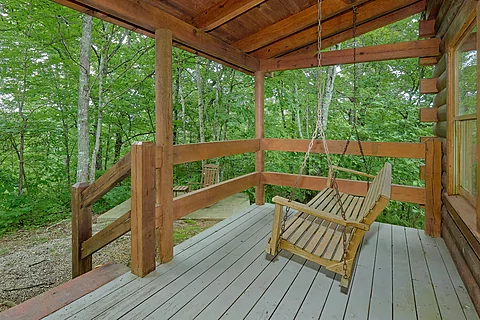
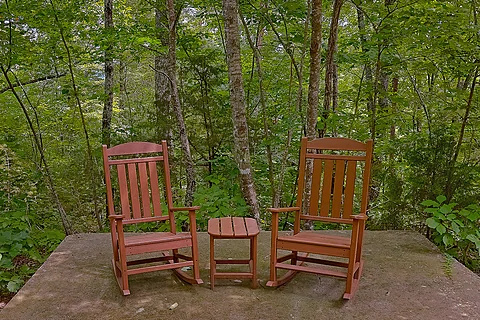
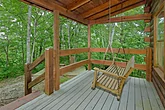
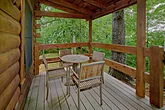
When not playing in the Smoky Mountains, you'll love relaxing back at your 1 bedroom cabin rental with a fire pit near Gatlinburg. Step onto the deck to enjoy the wooded views surrounding the cabin for a peaceful moment with your sweetheart while your pet runs around and plays. Nearby, there is an outdoor TV for extra enjoyment.

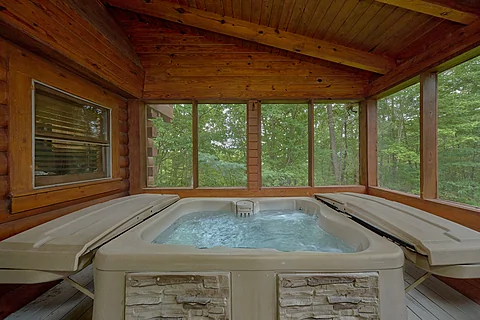
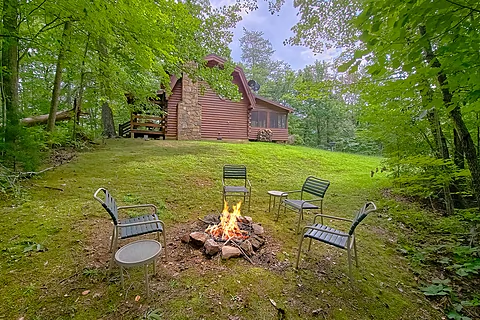
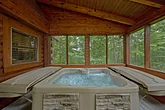
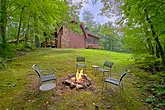
Take your relaxation further by visiting the nearby hot tub. Feel the warm water melt your stress as you plan another Smoky Mountain adventure. Afterward, you can host a romantic cookout with the grill and then gather around the fire pit to admire the night sky for the perfect end to a day in the Smoky Mountains.

In addition to the luxury features, you and your guest will have access to practical amenities like Wi-Fi and a washer/dryer, ensuring a stress-free vacation from start to finish.

After an exciting day in the Smoky Mountains, you can look forward to sleeping in the bedroom, which offers a king-size bed and a TV for a good night's rest.

With additional sleeping space, "Sweet Seclusion" sleeps up to four guests, making it the perfect destination for a couple's retreat or a small family trip in the Smoky Mountains.

Experience everything the Smoky Mountains have to offer in a secluded setting with a stay at "Sweet Seclusion!" Book your private 1 bedroom honeymoon cabin near Gatlinburg with a hot tub today and say hello to your best couple's retreat!
Cabin Photos

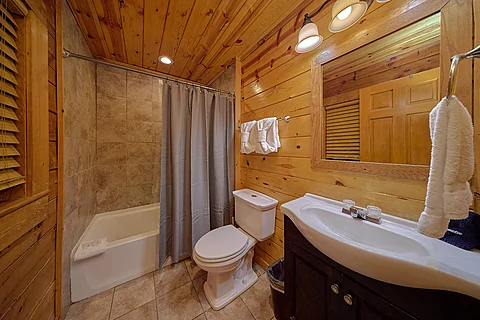
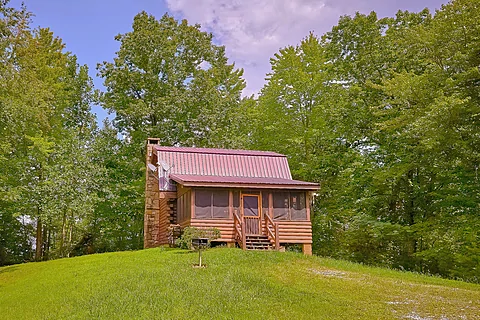
Featured Property Photo - Sweet Seclusion1 Bedroom Cabin with Woodburning Fireplace - Sweet SeclusionRustic 1 Bedroom Cabin near Pigeon Forge - Sweet SeclusionPrivate 1 Bedroom Cabin with Wood Fireplace - Sweet SeclusionOne Bedroom Cabin with Fully Equipped Kitchen - Sweet SeclusionSpacious 1 Bedroom Cabin with Dining Table - Sweet SeclusionDining Table and Chairs Seating 4 - Sweet SeclusionMain Floor Full Bathroom - Sweet SeclusionPrivate 1 Bedroom Cabin in Pigeon Forge Sleeps 4 - Sweet SeclusionLoft King Bedroom with TV Sleeps 4 - Sweet SeclusionPrivate 1 Bedroom Cabin with King Bed - Sweet SeclusionMaster Bedroom with TV and WiFi - Sweet SeclusionLarge Screened in Porch with Outdoor TV - Sweet SeclusionOne Bedroom Cabin in Pigeon Forge with Hot Tub - Sweet SeclusionQuiet One Bedroom Cabin with Porch Swing - Sweet SeclusionPeaceful 1 Bedroom Cabin in the Woods  - Sweet SeclusionPigeon Forge Cabin with Fire Pit Sleeps 4 - Sweet SeclusionSmoky Mountain 1 Bedroom Cabin in the Woods - Sweet SeclusionSerene 1 Bedroom Cabin in Pigeon Forge with WiFi - Sweet Seclusion

Virtual Tour

Instructions:

Do you want to explore the cabins before you arrive? That's easy, thanks to our 3D Tour powered by MatterPort. Just press the Play button to get started. There are different viewing options available:

  • Dollhouse: Click the icon in the bottom left corner to enter this view. Click the same icon to return to first-person view.

  • Floor Selector: Click on the stacked square icon to change the floor level you view.

  • Floorplan: Click on the floorplan icon next to the dollhouse icon to view the floorplan for each floor level.

  • Measurement: Click the ruler icon to enter measurement mode. Upon entering this mode, click the plus sign to begin measuring whatever you want in the cabin.

Mobile Navigation

In first-person view, navigate through the cabin using the touch screen.

To look around, drag your finger left, right, up, or down. To move to another area, tap on the screen or the hollow white circles on the floor to move the direction you're facing.

To view in full-screen, click the far right icon to enter full-screen mode. Drag from the top of the screen and press the back button to exit full-screen mode.

To use measurement mode, after clicking the plus sign, press and hold to add your start point. Once done, press and hold to add your end point.

Desktop Navigation

In first-person view, use the arrow keys on your keyboard to move around the cabin.

The left and right arrows let you look around while the up and down arrows let you move forward and backward. Also, you can click on the hollow white circles to move to a specific point.

To view in full-screen, click the icon on the far right to enter full-screen mode. Press escape to exit full-screen mode.

To use measurement mode, after clicking the plus sign, click anywhere you want to add to your start point. Once done, click on another spot to add your end point.

Cabin Floor Plans

Availability Calendars

Guest Reviews

Overall Rating:  9.1 / 10

Location Maps

Cabins USA Gatlinburg Office Pin - Office Location
Property Location Pin - Cabin Location

Adventure Pass included

About $600 a night in free attractions

Attraction tickets included every day of your stay + departure day

Cabins USA Gatlinburg Official Logo
star star star star star
(865) 436-5031

VLS #157
Smoky Mountain Cabin Rentals
Guest Reservations
(800) 584-9872
2 Night Minimum


Cabins USA Gatlinburg Help Icon
Copyright 2013-2026, Cabins USA Gatlinburg, Gatlinburg, TN

Want to receive up to date information on cabin specials and events in the Smokies? Sign up for our newsletter! Simply provide a contact name and email so that we can reach you. Cabins USA Gatlinburg respects our guest's privacy and never shares this information with third-party sites. We treat any information that you share as confidential.

For each of the fields, please provide the following information:

There are several boxes that can be checked to broaden or narrow your search. Once you select your desired amenities or locations, simply click "search" to filter out available properties for your desired date. Once search results are provided, you can sort your results by bedrooms, name, rate, and rating.

After your first search, it isn't necessary to click the "search" button again as this feature will automatically filter your results for any new search features you provide, unless you change the date, the number of nights, or go to a new webpage.

It isn't necessary that you wait for a search to be completed before you select or deselect different search features.

When browsing results, you can add them to your "favorites" by clicking the red plus mark on the bottom left of your desired property. You can view your selected properties by click the "favorites" tab at the top of the search bar.

Add/Remove Favorites
When using our "search" feature, you can make a list of favorites. After doing an availability search for your desired vacation date, our site will produce a list of available cabins. Simply click the "+" sign on the lower left side of the property you are interested in.

Doing this will add the rental to your favorites list. You will notice that the "+" has now changed to a "-". You can click this minus sign to "unselect" this property from your favorites list.

You can also remove a property from your favorites list by clicking the minus sign to the right of the property name under the favorites tab. Additionally, you clear your favorites list by clicking "remove all" on the favorites bar. After doing this, you will have to perform a new availability search.
The number next to the favorites tab is the number of properties you have selected.

View List
To see all of your favorite rentals on one page, simply click "view list"

Compare Favorites
Under the favorites tab on the search bar, you can view your selected favorites. By checking the box next to your selected rentals, you can compare up to three properties.
Simply select the 2 – 3 properties you wish to compare, then click "compare" to see these rentals side-by-side.
Once you find your perfect rental for the right date, simply click "book now" to begin the booking process.