

This property is not able to be viewed or booked at this time.
Enjoy luxury, fun, and more in our overnight
The Smoky Mountains are indeed a vacation destination for everyone. Whether you\'re exploring top attractions or enjoying the luxury of our authentic nightly
Whether you enjoy favorites like Village Shoppes or top-notch attractions like Anakesta and Gatlinburg Space Needle, it\'s all easily accessible while staying in our overnight vacation rentals in the Smoky Mountains. Stay close to the action in our Chalet Village cabin rentals and cabins in Cobbly Nob.
Alternatively, you can branch out in our Glades cabins or stay in our Sky Harbor cabin rentals. Wherever you stay, you\'ll love every moment of fun in the Smoky Mountains.
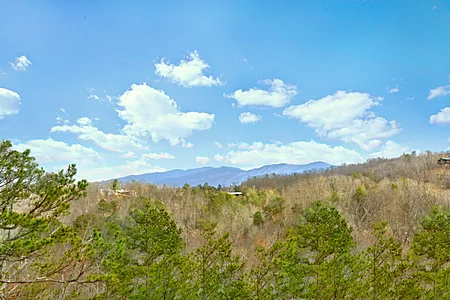
Better yet, our peaceful, secluded Smoky Mountain cabins are only a short drive from the Great Smoky Mountains National Park, making our Gatlinburg cabins highly attractive for visitors who love fun and nature equally.
In addition to excellent locations, we offer a wide selection of bedroom options to fit your travel plans perfectly. Stay in our 1 bedroom cabins for the ideal romantic getaway or enjoy a 3 bedroom vacation cabin for a family vacation.
With a wide selection of honeymoon, family-sized, and group-sized cabins, you and your loved ones will enjoy plenty of room while having fun in the Smoky Mountains.
Nothing says authentic cabin enjoyment, like pairing your needs with desired amenities. Our nightly cabins and
Are you ready to relax? Stay in a cabin with a hot tub for pure bliss. Our jetted tub cabins let you relax in privacy if desired. When you\'re ready for more entertainment, our game room cabins and cabin rentals with a theater room offer the ideal solution.
Many of our vacation rentals are in resort communities, which offer extra perks like swimming pool access and picnic pavilions. No matter your desire, we have you covered from beginning to end.
Experience the Smoky Mountains in all their glory in a luxurious setting by staying in our gorgeous overnight
 Free
Free
1-Day Dollywood Theme Park Tickets
Discover Dollywood, a premier theme park in Pigeon Forge, Tennessee, offering over 50 rides and attractions, award-winning entertainment, and rich Appalachian culture.
 Free
Free
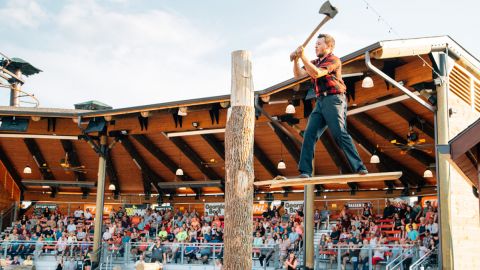
Paula Deen's Lumberjack Feud: Supper Show
Experience an action-packed evening at Paula Deen's Lumberjack Feud Supper Show in Pigeon Forge, featuring thrilling lumberjack competitions, toe-tapping music, and a hearty all-you-can-eat Southern supper buffet.
 Free
Free
Soaky Mountain Water Park: Daily Tickets
Soaky Mountain Waterpark is a new 50-acre waterpark located in the heart of the Smoky Mountains. This incredible park includes a variety of adventures and rides to ensure excitement for everyone.
 Free
Free
Country Tonite Tickets
Enjoy a high-energy, award-winning country music show featuring singing, dancing, comedy, and youth performers in Pigeon Forge.
 Free
Free
Upper Pigeon River Rafting: Whitewater Trip
Embark on a thrilling whitewater rafting experience along the Upper Pigeon River, navigating Class III rapids amidst the scenic beauty of the Great Smoky Mountains. Seasonally Available: March - September
 Free
Free
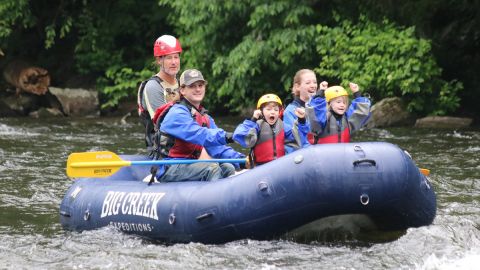
Lower Pigeon River Rafting: Scenic Float Trip
Enjoy a relaxing float along the Lower Pigeon River, taking in panoramic views of the Smoky Mountains on this family-friendly rafting adventure. Seasonally Available: April - October
 Free
Free
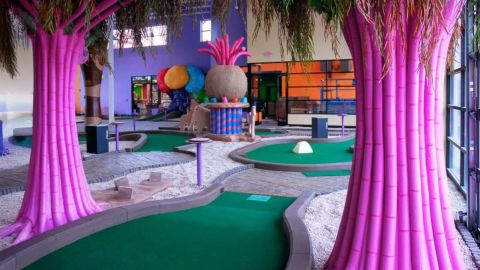
Mini Golf at Crave Golf Club
Experience a candy-themed adventure at Crave Golf Club in Pigeon Forge, Tennessee, featuring 19-hole indoor and rooftop mini-golf courses, escape rooms, mini-bowling, and a candy store.
 Free
Free
Gatlinburg SkyLift: Single Visit Tickets
The Gatlinburg SkyLift was the first four-season scenic chairlift in the south when it opened in 1954. This landmark transports guests from the heart of town up 1,800 feet above sea level to the top of Crockett Mountain, where the record-breaking Gatlinburg SkyBridge is located. You will see the most beautiful, ever-changing views in all of Gatlinburg!
 Free
Free
WonderWorks : All Access Passes
WonderWorks features over 100 interactive exhibits for visitors of all ages to experience. Some of the exhibits include the death-defying bed-of-nails, wonder coasters, a bubble lab, an indoor glow-in-the-dark ropes course, astronaut training gyros, and more!
 Free
Free
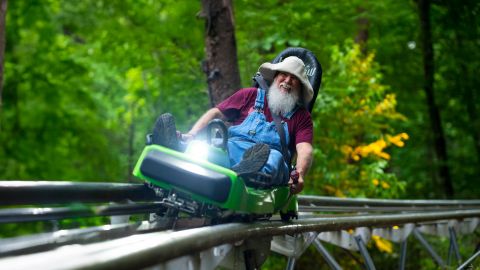
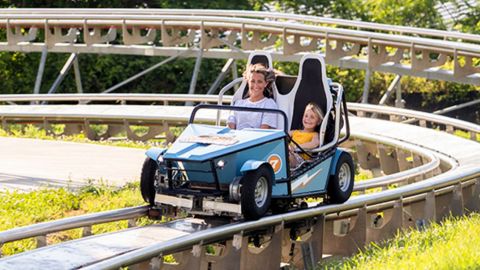
Moonshine Mountain Coaster
Experience the thrill of the Moonshine Mountain Coaster, Gatlinburg's premier mountain coaster, offering an exhilarating ride through the Smoky Mountains with speeds up to 30 mph.
 Free
Free
Rowdy Bear's Smoky Mountain Snowpark
Experience thrilling coaster rides, one-of-a-kind laser shooting from a ski lift and axe throwing —all at Rowdy Bear’s action-packed Snowpark in Pigeon Forge.
 Free
Free
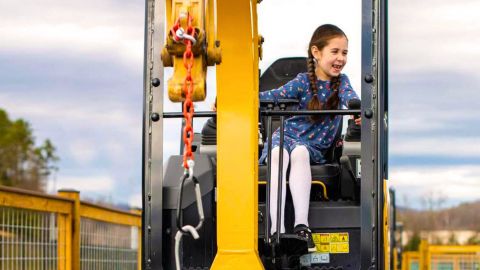
Dig 'N Zone - Single Day Pass
Operate real construction equipment and enjoy interactive rides at America’s only construction-themed amusement park for all ages.
 Free
Free
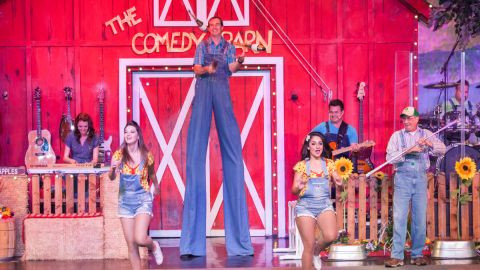
Regular Admissions to The Comedy Barn Theater
Enjoy over two hours of clean, family-friendly comedy at The Comedy Barn Theater in Pigeon Forge, featuring comedians, jugglers, ventriloquists, barnyard animals, and live country and gospel music.
 Free
Free
Regular Admission for Dolly Parton's Stampede Dinner and Show
Experience an unforgettable evening at Dolly Parton's Stampede in Pigeon Forge, featuring thrilling horse riding stunts, spectacular special effects, phenomenal music productions, and a mouthwatering four-course feast.